Outlook (new) - How to update new Outlook
Updated: 03/25/2026
Article #: 364
If you get a prompt saying "Go to the Microsoft Store to update "new" Outlook when opening New Outlook
1) Close New Outlook then go the Microsoft Store
2) In the Microsoft Store go to Library Section (Bottom Left)
3) Then go to the Apps section >Outlook for Windows > Update button
4) It will take a few minutes to update. Once it updates then open new Outlook
** Please see picture below**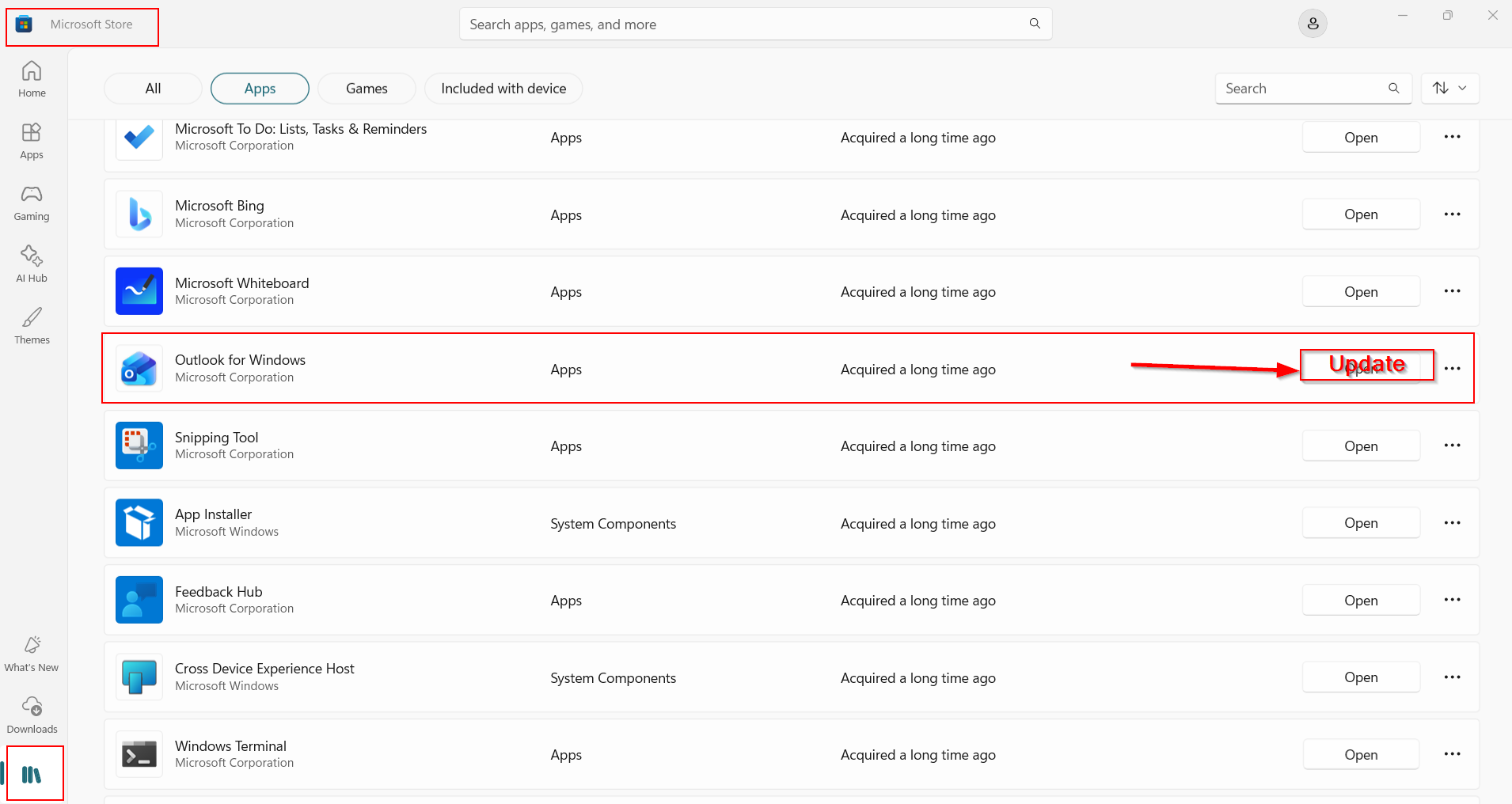
|
Rate this Topic:
|
|||
|
